
Nexus Desktop
The power seat for competitive marksmanship.
Nexus Desktop connects directly to freETarget, SIUS and MegaLink electronic scoring targets on your range network. It runs each relay from one screen on the range computer and sends each shot on to the scoreboards and athlete pages everyone else follows.
Nexus Desktop is in early access, for Windows 10 (version 1809 or later, 64-bit) and Macs with Apple silicon on macOS 12 or later.
On the line
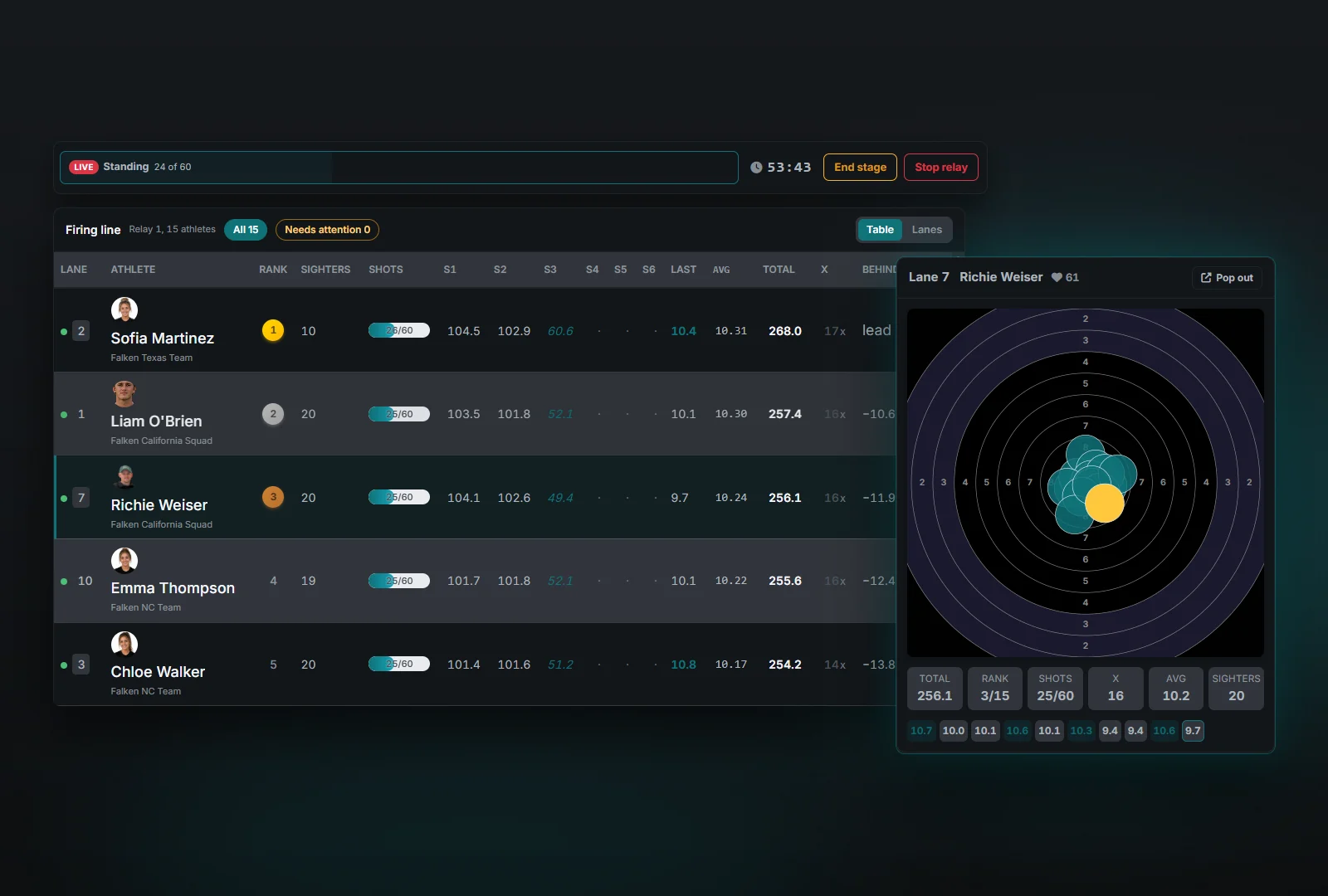
Run the whole firing line from one screen
The match console shows every firing point on the relay in one place. Start sighters and each stage from the course-of-fire track above the table, and the console asks you to confirm before scored shots begin. It is only in Nexus Desktop.
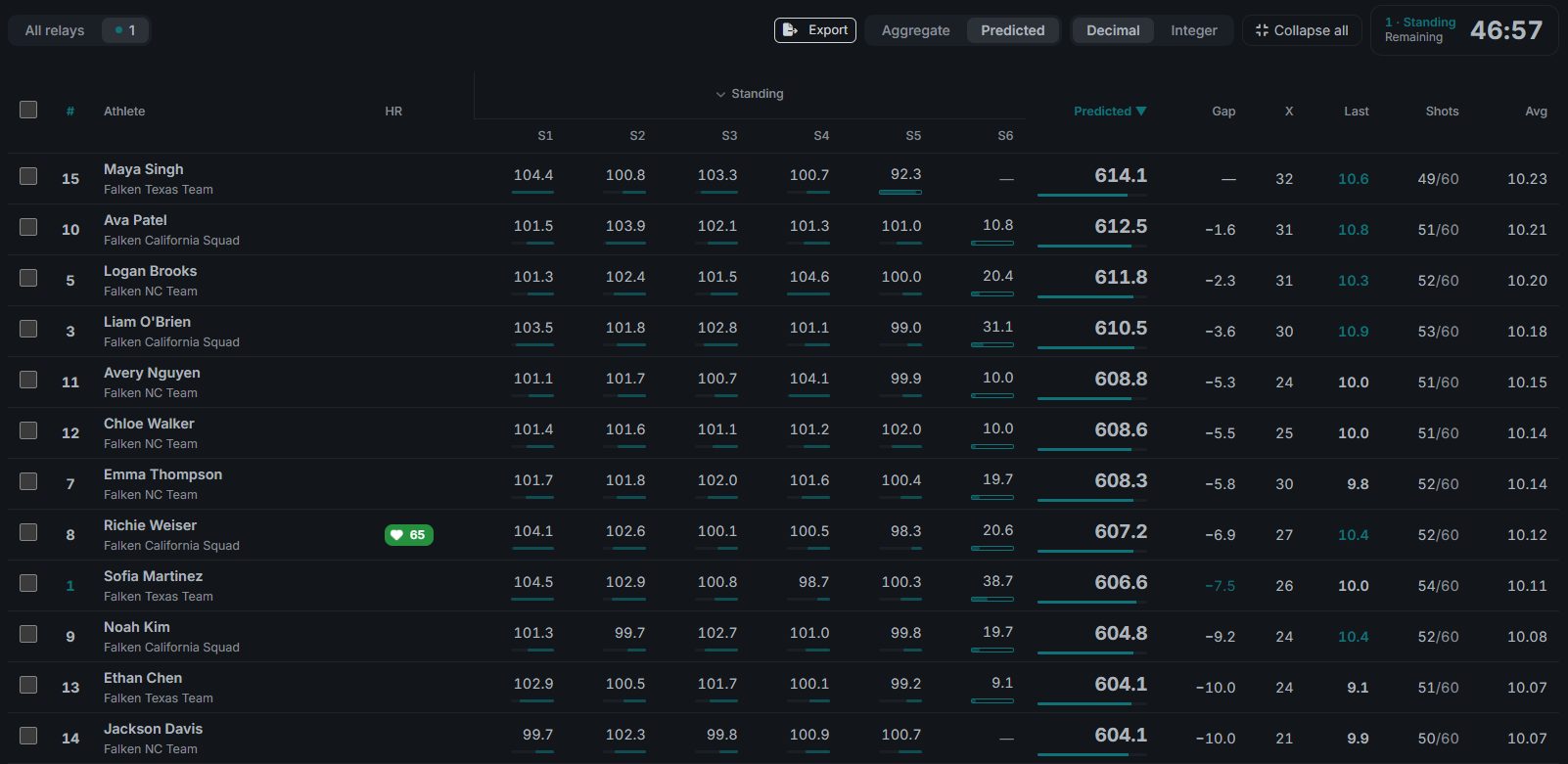
Ranked as shots land
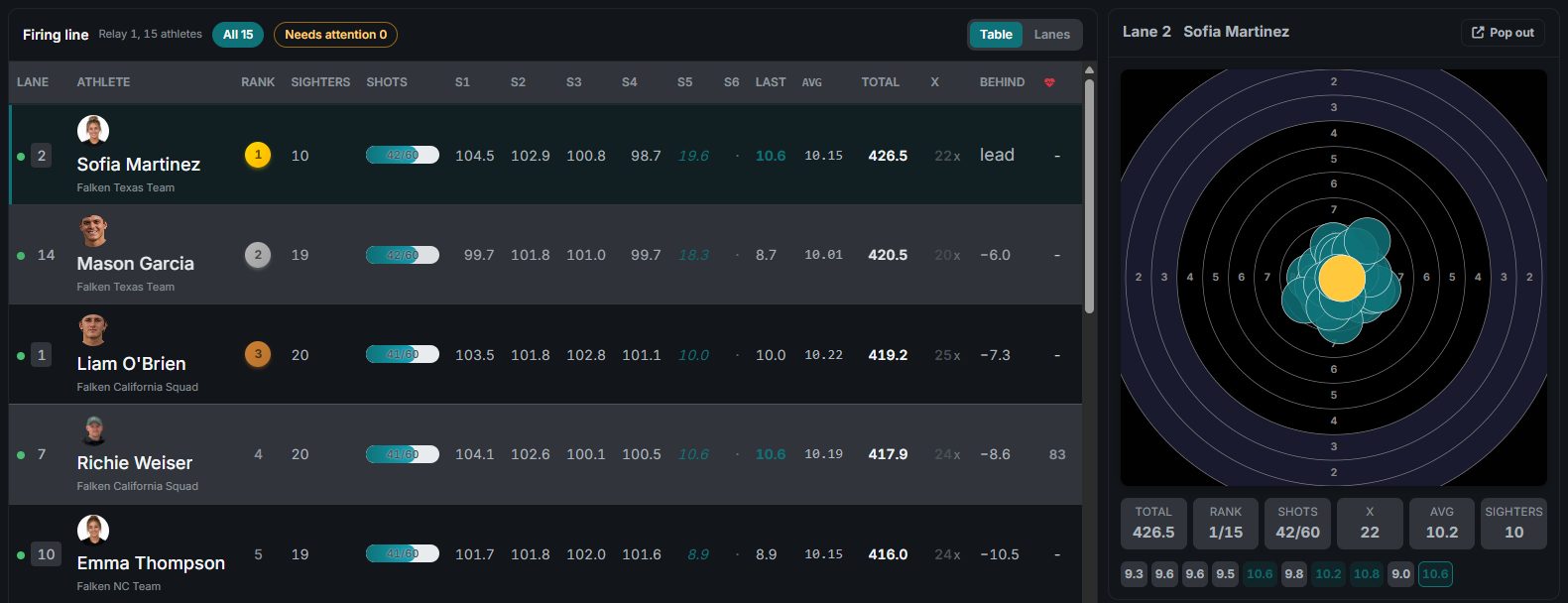
Each athlete is ranked within their event as shots arrive, with series totals, sighters, inner tens and the gap to the leader.
Table or Lanes
Switch between this table and Lanes view, which draws every lane's target large with its status and score.
The selected lane
Click a row to bring up that athlete's target, totals and last ten shots, with the live shot feed underneath.
Pop-out windows
The selected lane's Pop out button opens its target in its own window. The Pop out menu at the top of the console does the same for a spectator scoreboard, the live shot feed or a lane grid, ready for a second screen.
Your targets
Connected straight to your targets
Integrated with freETarget, SIUS and MegaLink systems. Each shot reaches the console as it is fired and files under the right athlete, relay and stage, with no typing and with sighters kept out of the score.
On your range network
Nexus Desktop connects to freETarget targets over TCP port 1090 and to SIUS and MegaLink lanes, and one range computer can run a mix of them. Lanes connect by themselves once a match is scheduled or running.
Lane health
A dot on every lane shows its connection, and the console counts any shots waiting to sync. Double-click a lane that dropped to reconnect it.
Saved on the range computer first
When the internet drops, Nexus Desktop keeps capturing. Each shot is saved on the range computer first, and a shot that can't be sent is counted as waiting to sync until it is.
One computer runs the match
Other computers on the match follow it and see its lane health, and any of them can take control.
For adult athletes who wear a watch, heart rate shows beside their lane through Falken Pulse.
Compare
See who is improving, and by how much
Two comparisons for coaches and match staff. Both run on Windows and Mac, and on Nexus Web.
Tale of the tape
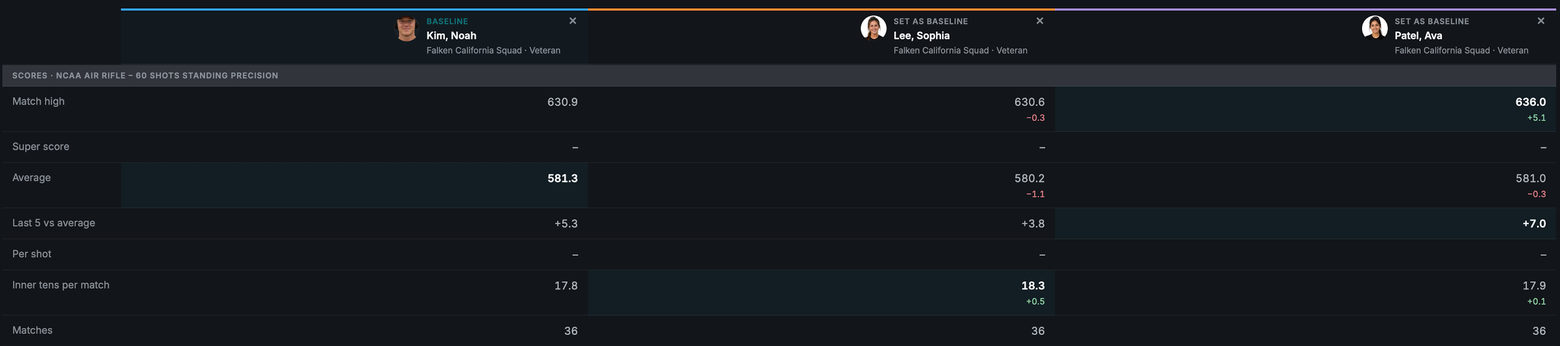
Compare two to six athletes from the roster in one course of fire and air rifle class. Their match totals share one chart, the matches they shot together line up side by side, and each row lights its leader.
Set any athlete as the baseline to see everyone's change against them, with records and personal bests below.
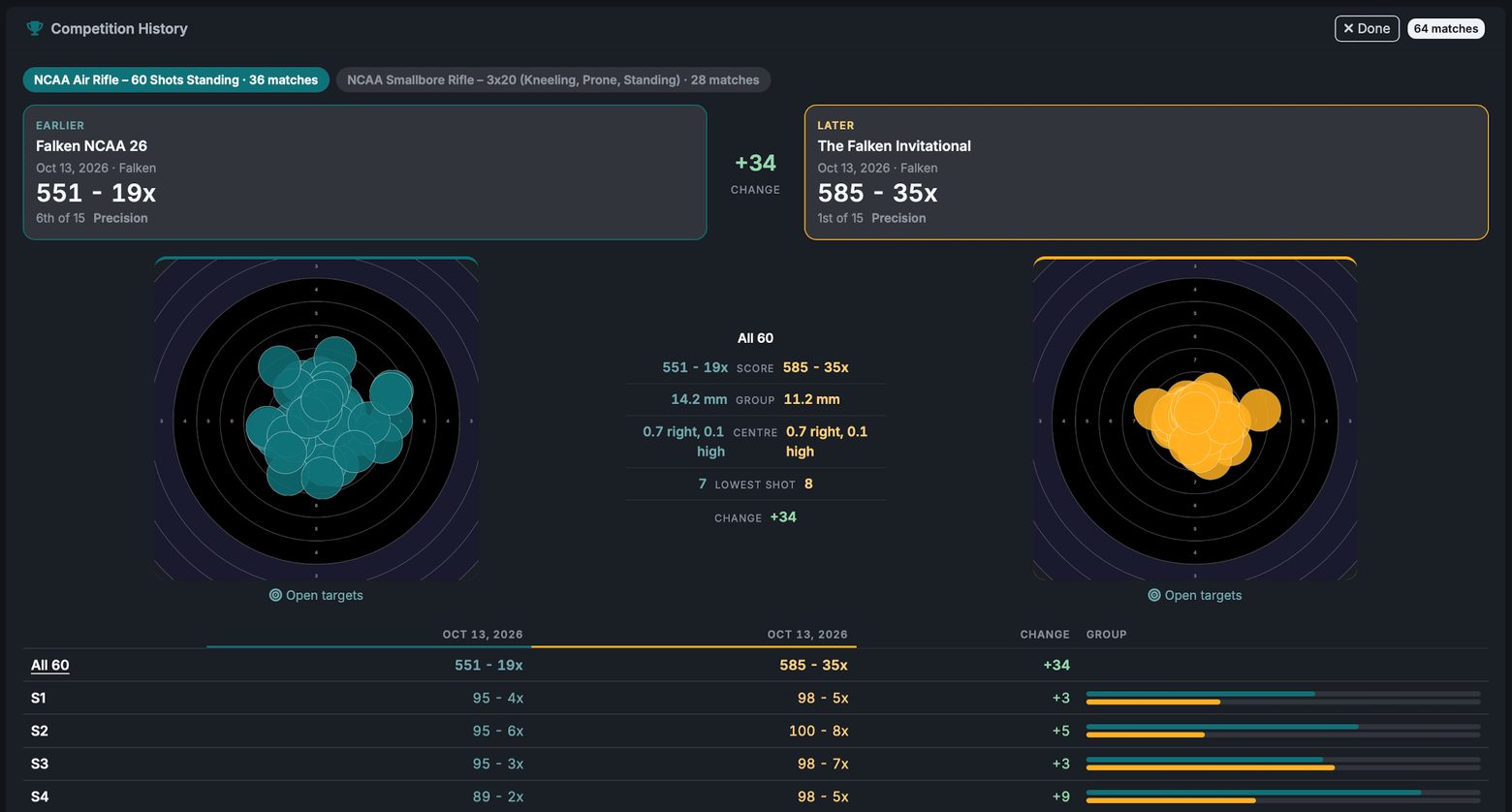
Head to head
Put two of an athlete's matches in the same course side by side. Both targets appear at one zoom, with the change in score, inner tens, group size, where the group sits and the lowest shot.
Below them, the change runs position by position and series by series, and a link shares the comparison.
Host and run
Host the match where you run it
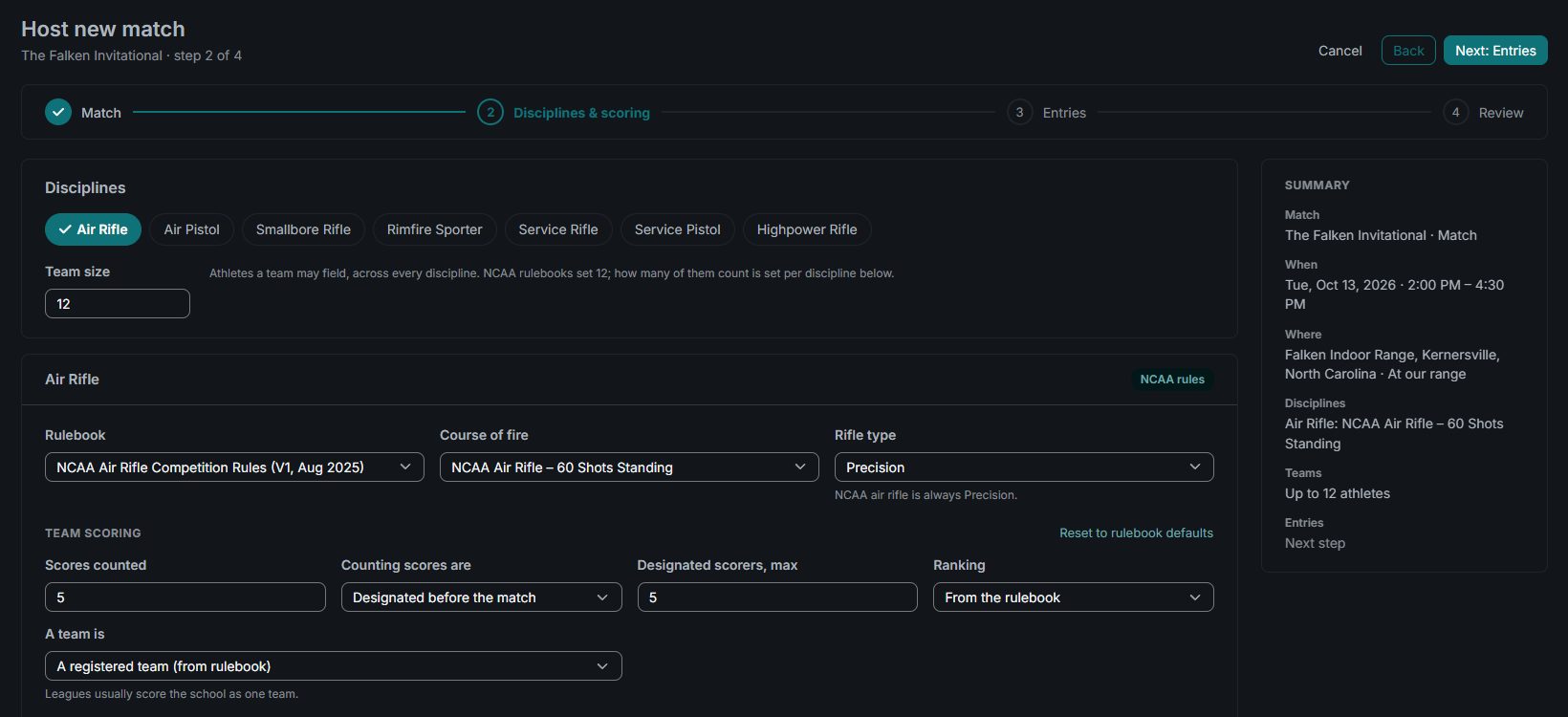
The Host Match wizard takes four steps, keeps a summary beside them and opens the new match straight on the console.
Rules from the rulebook
Choose the rulebook edition in force on the match date, the course of fire, Sporter or Precision, and the team scoring that rulebook sets.
Entries and squads
Open entry or an invite code, a registration window, firing points given out automatically and entry fees through Stripe. Enter your own squads and their designated scorers as you go.
A description to start from
Falken drafts the match description from your settings for you to edit.
Registrations and check-in
Check athletes in from the registrations console, move them between relays and register walk-ups. The run of show lists every relay in firing order.
Finals with shoot-offs and match broadcasts run from Nexus Web.
Results and review
From live standings to official scores
Live Scoring, Score Review and the results run in the same app as the firing line.
Live Scoring
Aggregate or Predicted totals, inner tens and the gap to the leader, ranked within each event as shots arrive.
Every target at once
Tick athletes and watch their targets side by side as each shot lands.
Each athlete's card
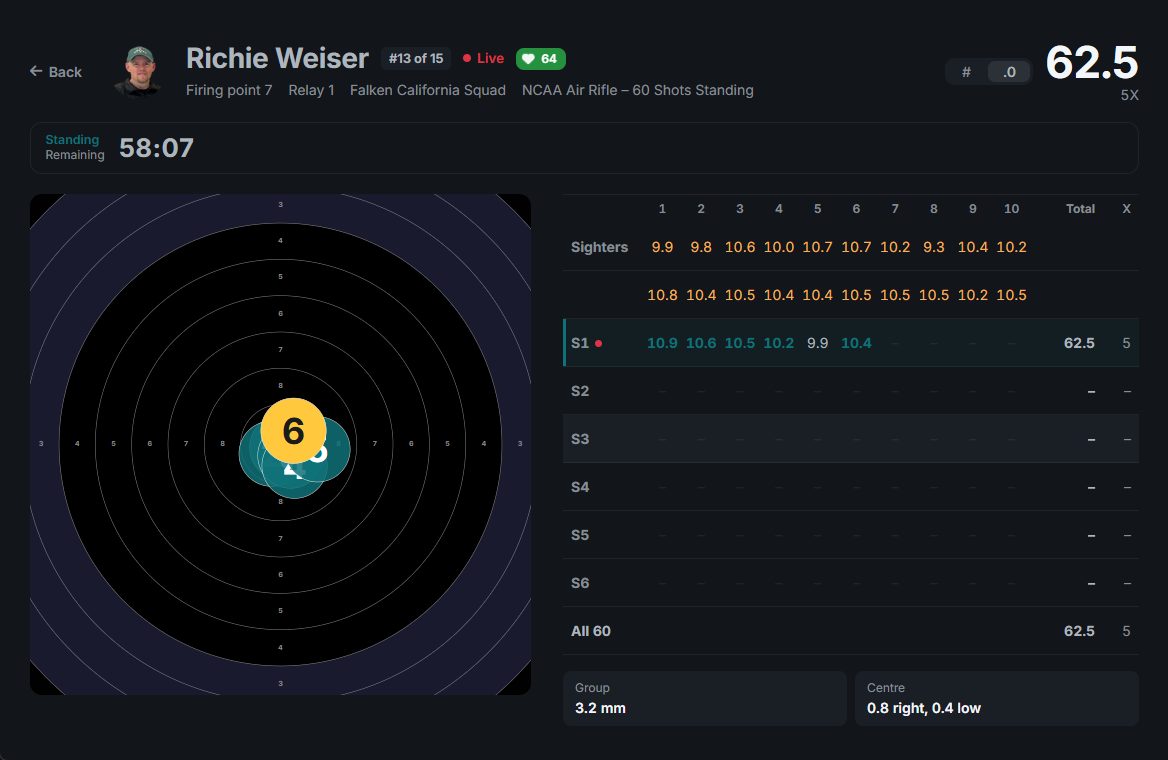
The card in series of ten beside the target, live or replayed, with the latest shot drawn in gold.
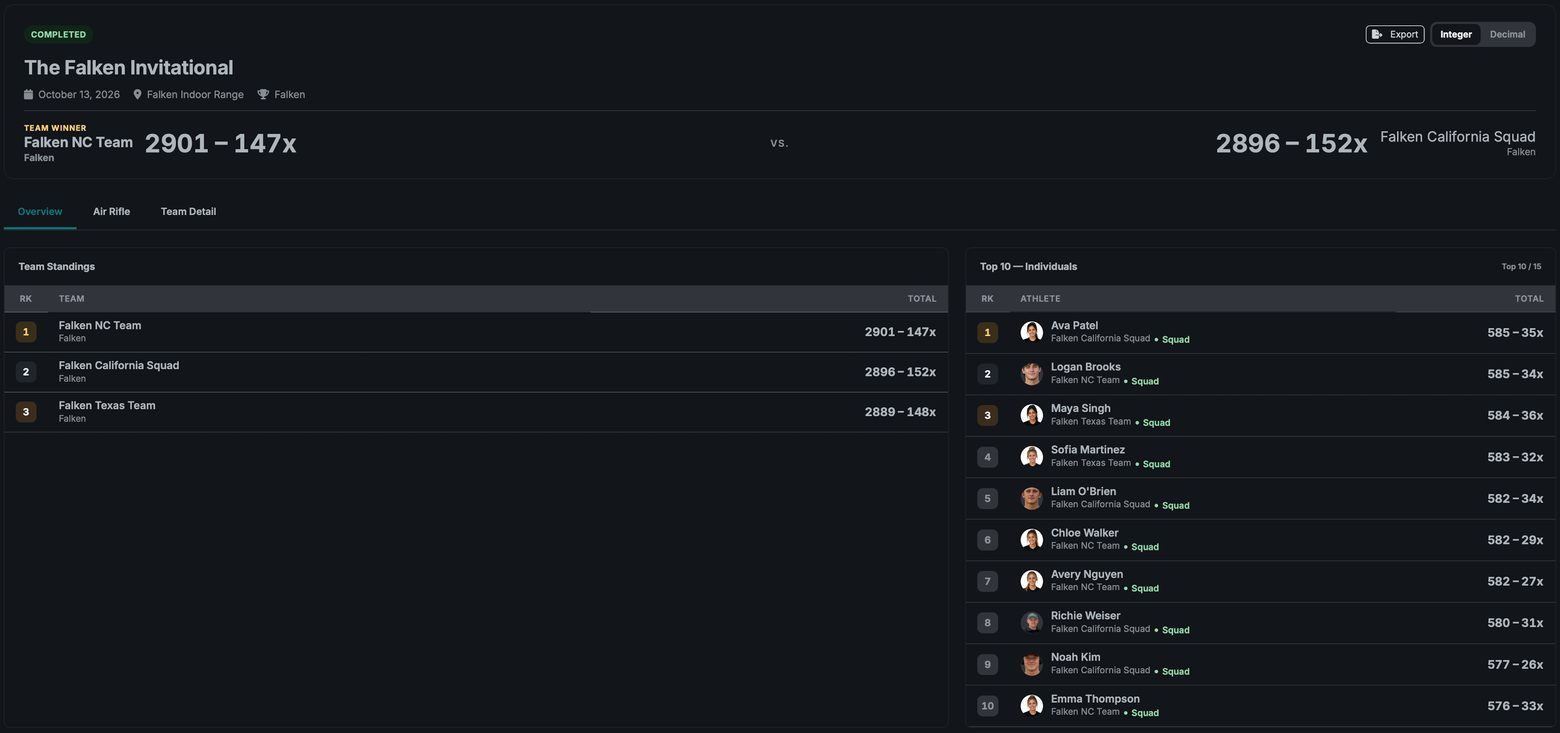
Championships
Administrators can combine matches already fired into one championship, with standings across the days and each squad's score by day.
Program tools
The rest of your program, in the same app
Nexus Desktop carries the same roster, calendar and records as Nexus Web, and most pages keep a copy for reading offline.
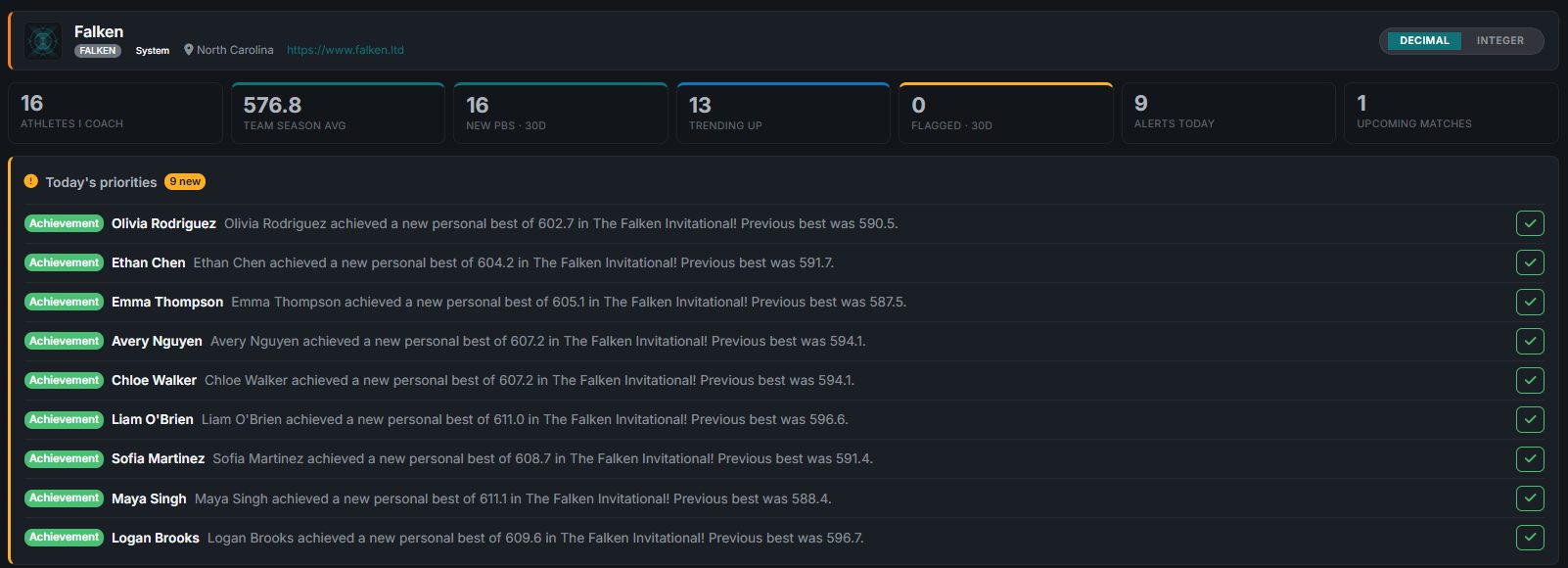
Coach dashboard
Alerts, roster trends and patterns, and each new personal best with the previous best beside it.
Records
Organization records for each course of fire, class and scoring mode, with their history.
Athletes and teams
High scores by position on each athlete's page, each team's athletes beside the team average, and roster exports to Excel, Word or PDF.
Practice log
Practice sessions from the calendar, with attendance, the discipline and the course of fire.
Team messages
End-to-end encrypted team chats, with guardians included in chats with minors.
Calendar and library
Day, week, month and agenda views with a subscribe link, plus documents, media and the news desk.
What you need
- Windows
- Windows 10, version 1809 or later, 64-bit
- Mac
- A Mac with Apple silicon, on macOS 12 or later
- Targets
- freETarget, SIUS or MegaLink lanes on the range network, each added once on Nexus Web
- Updates
- Signed installers, with each update offered in the app and installed when you choose
What you get today
Nexus Desktop is live at ranges today. Here is what is built and working right now.
- Live shot capture from freETarget, SIUS and MegaLink targets on your range network
- A one-screen match console with Table and Lanes views, the course-of-fire track and the stage clock
- Lane health that shows each lane's connection and any shots waiting to sync, with double-click to reconnect a dropped lane
- Pop out a spectator scoreboard, a lane grid, the live shot feed or one lane's target into its own window
- One computer runs the match while other computers follow it and see its lane status
- The Host Match wizard on Windows and Mac, registrations with check-in, the run of show and squad sheets
- Live standings, every athlete's target at once, and each athlete's card in series of ten with replay
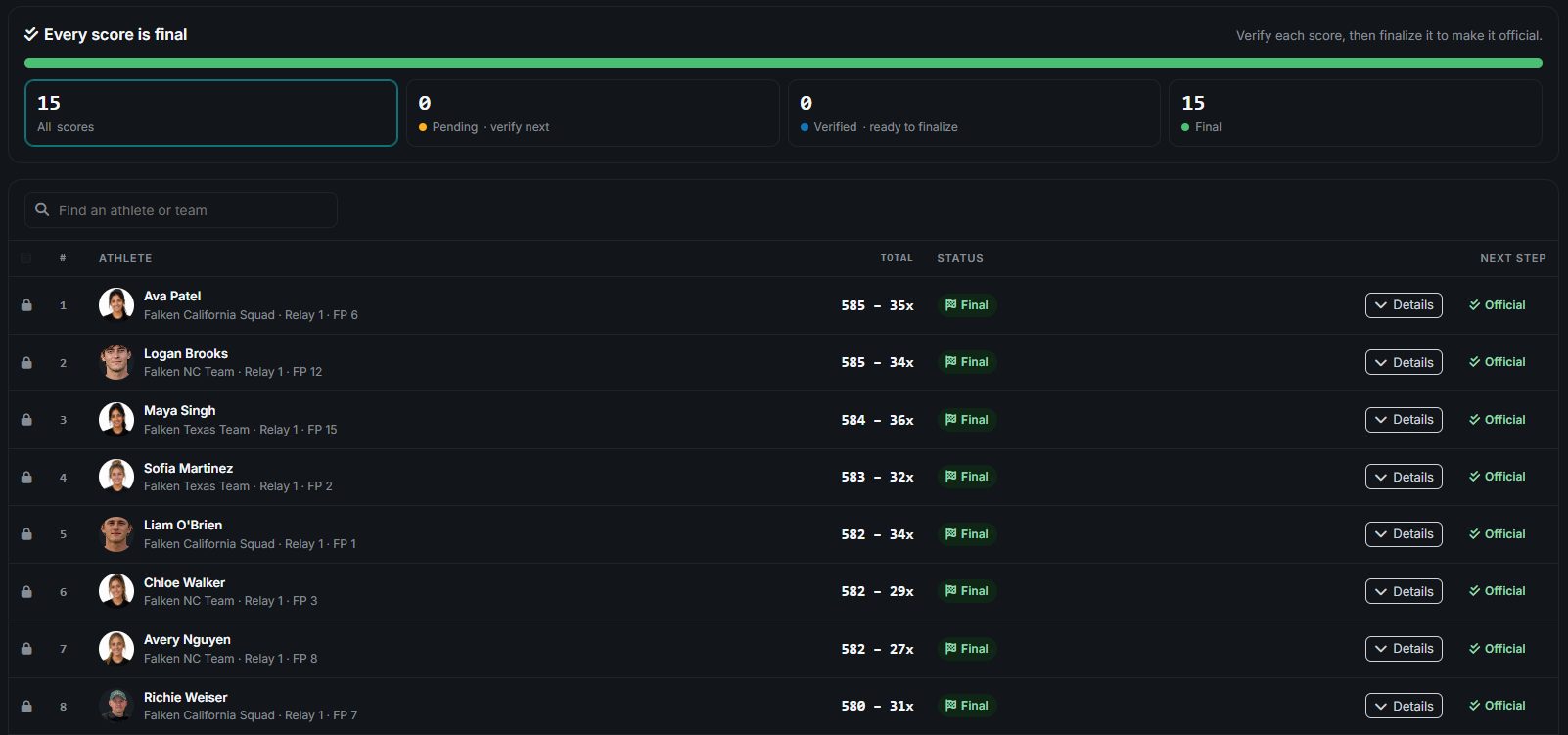
- Score Review from provisional to verified to final, with flagged shots and penalties
- Results in integer or decimal scoring, exported to Excel, Word or PDF
- Compare two to six athletes side by side, and two of an athlete's matches head to head
- Coach dashboard, team performance, organization records and the practice log
- Multi-day championship standings with squad team scores, built by Administrators
- Roster, calendar, documents, media, news and end-to-end encrypted team messages in the same app
- Keeps capturing shots when the internet drops, and most pages keep a copy for reading offline
- Windows 10 (1809 or later, 64-bit) and Apple-silicon Macs on macOS 12 or later, with signed updates offered in the app
- Also scores scanned 10-meter air rifle cards (Windows)
- Windows and Mac
- Windows 10 (1809 or later, 64-bit) and Apple-silicon Macs (macOS 12 or later)
- 3 target systems
- freETarget, SIUS and MegaLink
- Saved locally
- Each shot, on the range computer first
- Signed updates
- Installed when you choose
Nexus Web and Nexus Mobile
Nexus Desktop shares its pages with Nexus Web, so the match you run on the range computer is the same match, live, in a browser. Nexus Mobile is coming to iOS and Android.
Falken is in early access
Rifle programs are onboarding now. Leave your details and we'll be in touch about bringing your team on.
Running a match soon? Tell us about your program